Archive Desk Workbench for Windows
Back up small projects. Prove you can get them back.
Checked ZIP backups, a diff of what changed, a recovery you review first, and a record of every run.
- Files per backup
- 500
- Size per file
- 20 MiB
- Source data per backup
- 50 MiB
- Runs on
- Windows x64
4c31 2136 ... 1714 7d68
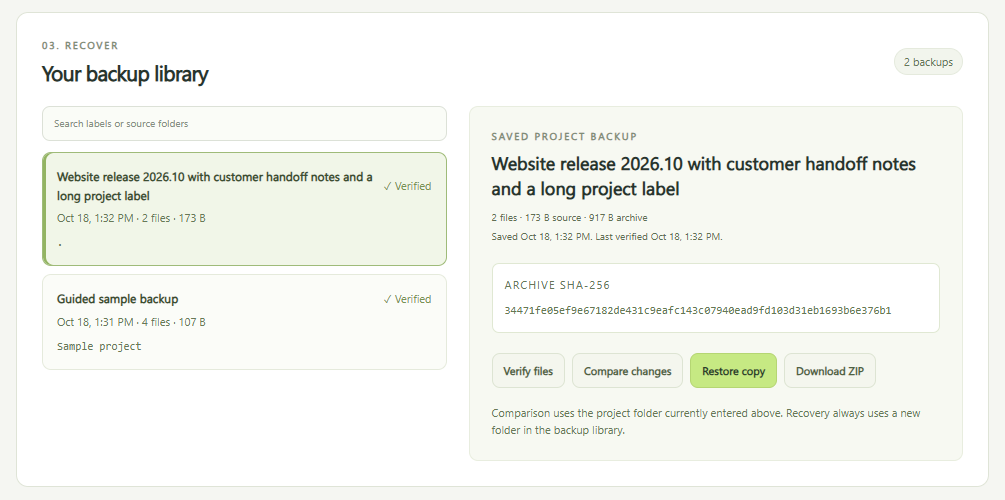
A short tour
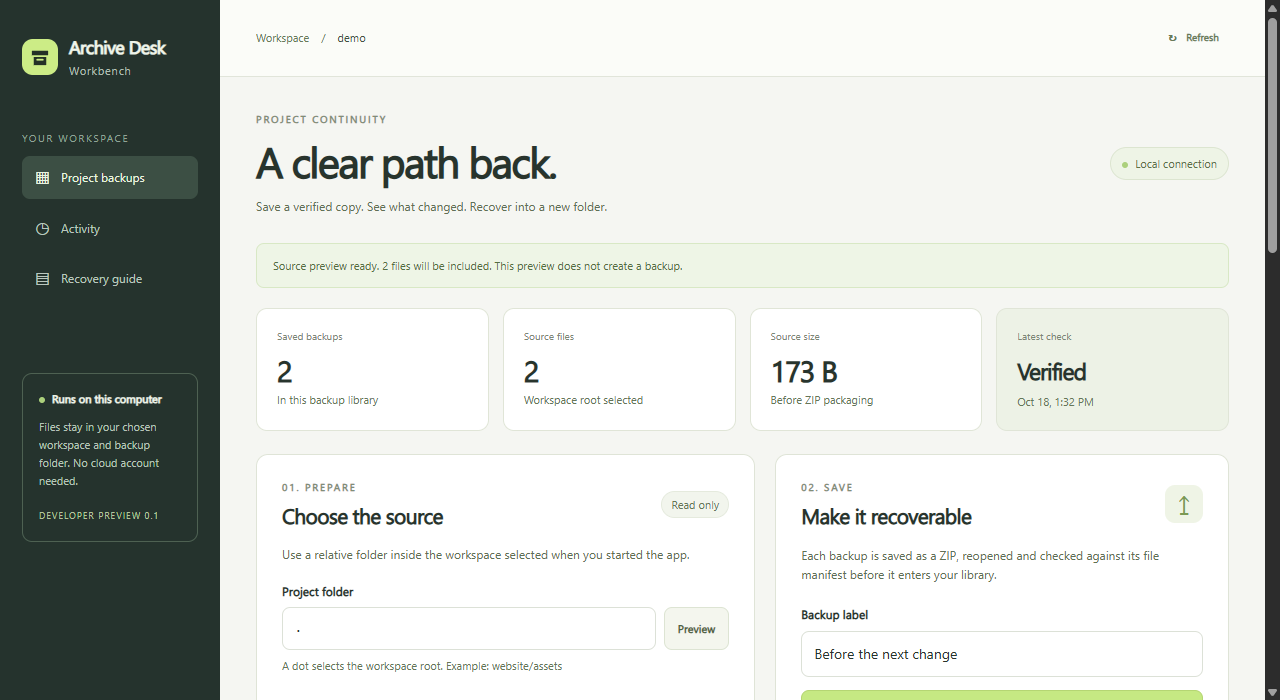
Back up and compare
Save, compare, restore to a new folder.
Read the guide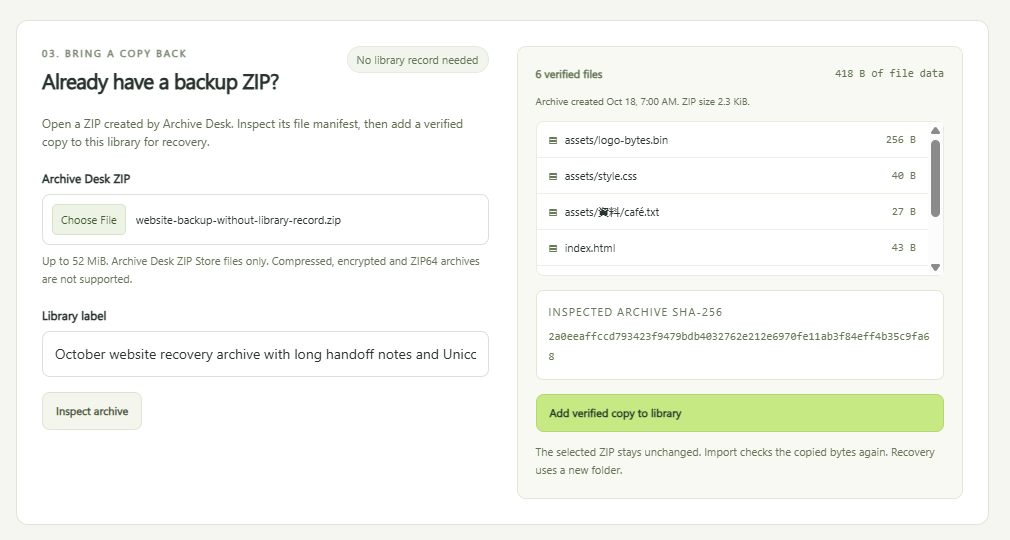
Import an existing ZIP
Inspect a ZIP, add a verified copy.
Read the guide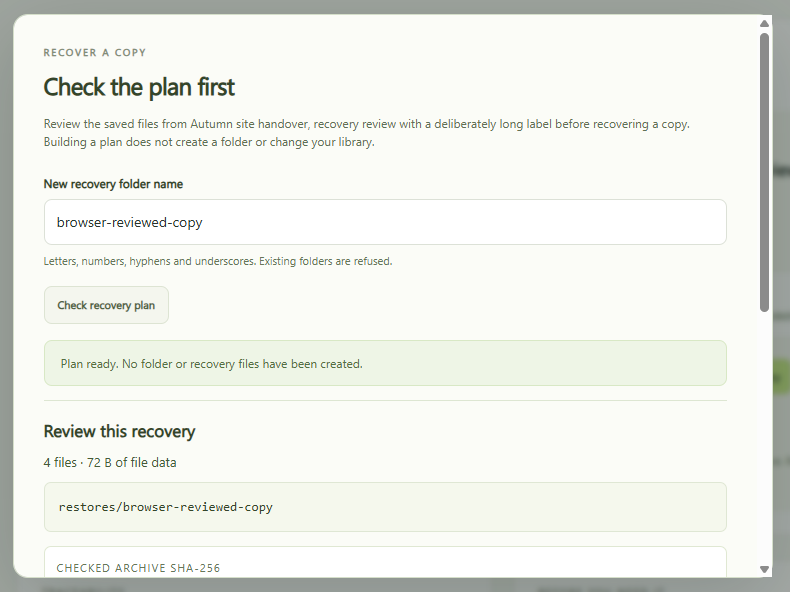
Review a recovery
Every file and destination, before writing.
Read the guide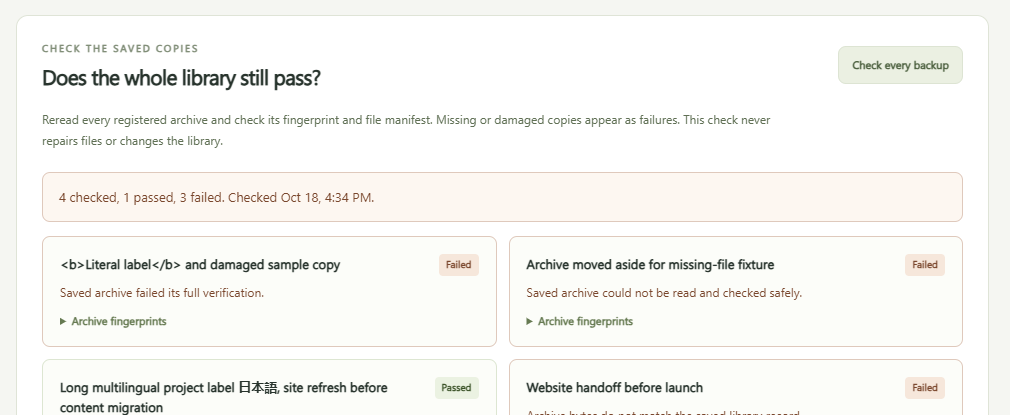
Check the whole library
Flag missing, damaged or mismatched copies.
Read the guide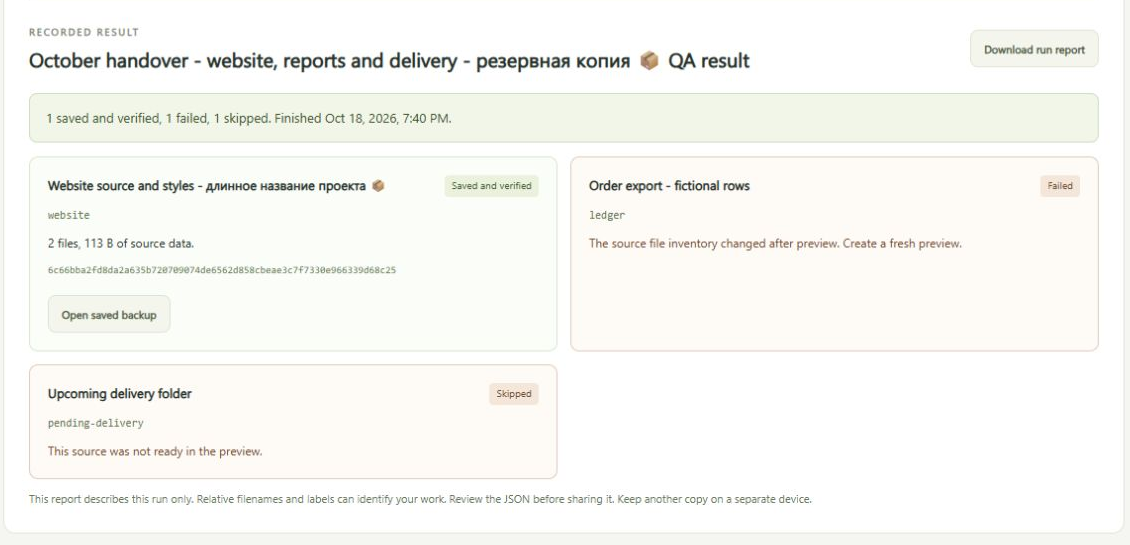
Back up several folders
One failure never hides the others.
Read the guide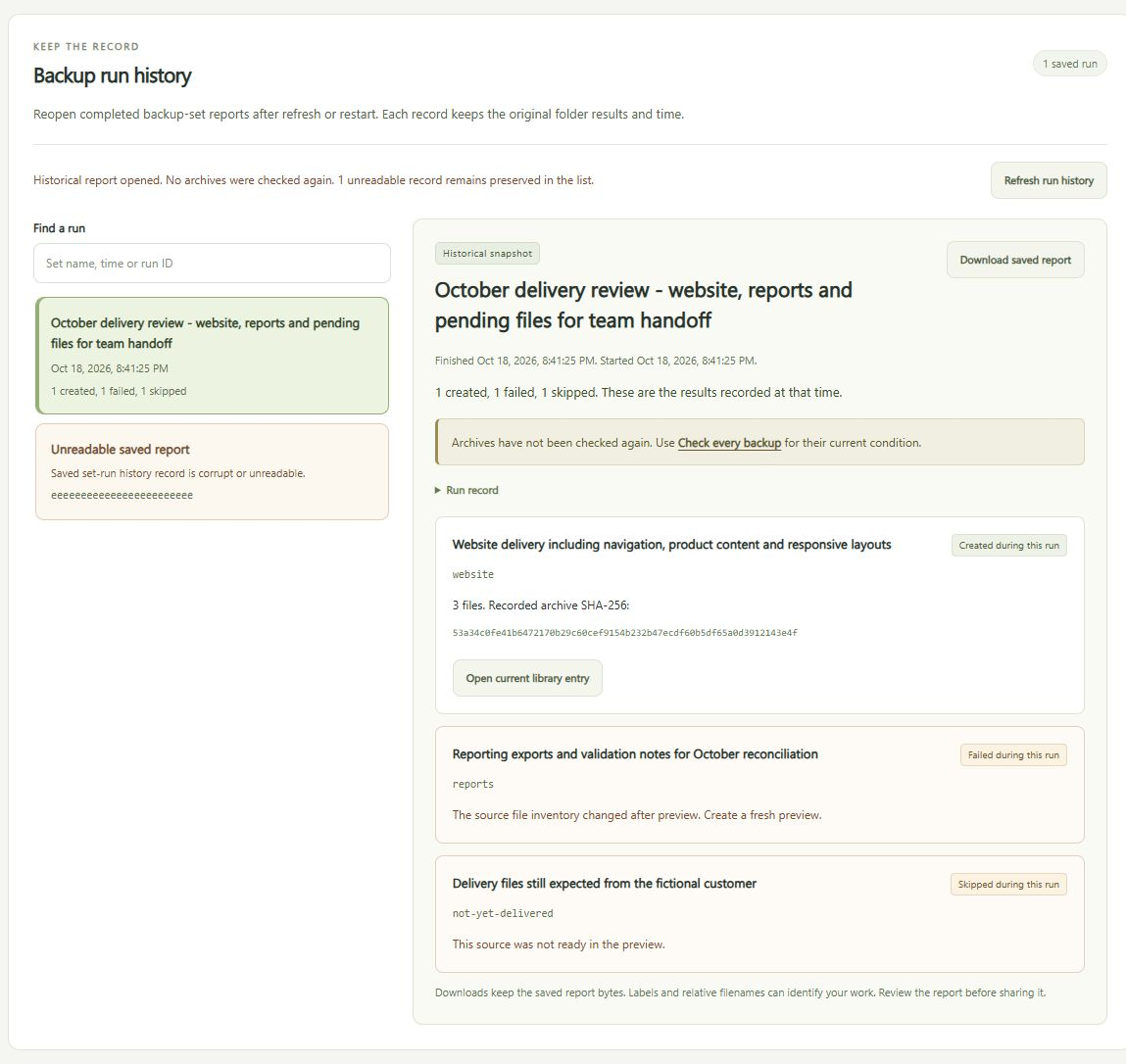
Reopen run history
Any past run, its exact report.
See below
Start on Windows
- Download the Windows x64 ZIP and extract the whole folder.
- Open Try Demo.cmd to explore a small built-in project in your browser.
- Stop the demo with Ctrl+C. Open Start Workbench.cmd and paste your project folder and a separate folder for the backup library.
- Leave the console window open while you use the app.
Nothing else to install. Keep the remembered folder settings private.
Or run the source
Node.js 24, no packages. Run in the ArchiveDeskWorkbench folder.
node server.mjs
# then open http://127.0.0.1:4330/

npm test
Your own folders, on one line:
node server.mjs --workspace "C:/Projects/site"
  --storage "D:/ProjectBackups/site" --port 4330
Run history: keep the result, return to the record
Every outcome is kept, even after a restart.
Partial stays partial.
Time, result per folder, and counts. A failed save is reported, not retried.
Find the original run.
By set, time or run ID. Nothing is purged automatically.
Download the saved JSON.
The stored bytes. A changed record must be refreshed first.
A record is not a fresh check
History shows the run as it happened. Use Check every backup for the current state.
Open current library entry jumps to the matching archive.
Reports drop absolute paths. Read the JSON before sharing.

What has been checked
- Fresh Windows download recovered the built-in project byte for byte.
- Own-folder launch made a verified backup and skipped the credential file.
- Bundled Node.js matches its official checksum.
Tested on Windows x64 only. It has not been tested on Windows on ARM, macOS or Linux.
Good to know
- Imported ZIPs up to 52 MiB.
- Unencrypted Archive Desk ZIPs only. No compressed or ZIP64 imports.
- No timestamps, permissions or empty folders on recovery.
- Credential files are skipped by name, not by content.
- Manual runs, no schedule or sync. Close editors first.
- Keep a second copy on another device.
Downloads
SHA-256 4c312136cf4b844df9673fcbb1e15bef2186a11fc173e0fcb932103817147d68Earlier source builds
Some guide screenshots come from these builds.